Punchcard

Visualise the primary key distribution of your tables

Case description

The primary key is maybe the most important column in your table, but when you are creating a lot of records you might run out of keys in the end. The default 32 bit integer allows 4,3 billion keys when negative keys are used as well, but somethimes even that isn't enough. Once you've consumed all positive keys, the sequences usually turns negative, but in the end it'll be back at the starting point: 0. If you still have some keys in use in the positive part of the sequence, a duplicate key error might be thrown.

A good retention policy can prevent this issue from occuring, but sometimes you want to keep certain records longer than others. In this case you might be deleting 99% of the keys used in a specific part, but the 1% that's remaining can cause duplicate key errors. This so called primary key fragmentation is an annoying issue, but hard to see without a proper tool.

While this feature won't fix this issue, it'll help you in making the fragmentation visual. The punchcard is inspired on the disk defragmentation tool that was present in older versions of Windows, where you could see in a visual way were files are stored on your disk and how Windows moved them on your disk. The punchard will quickly make potential fragmentation visual, and can help you in detecting potential issues before they occur.

Let's have a look

The punchcard is a dynamic server page that you can consult using your webbrowser.
By default no tables will be available, but you can easily add them using a custom view.
A workflow running in the back will calculate the required date to minimise the load on your system.

How it works?

Functional description

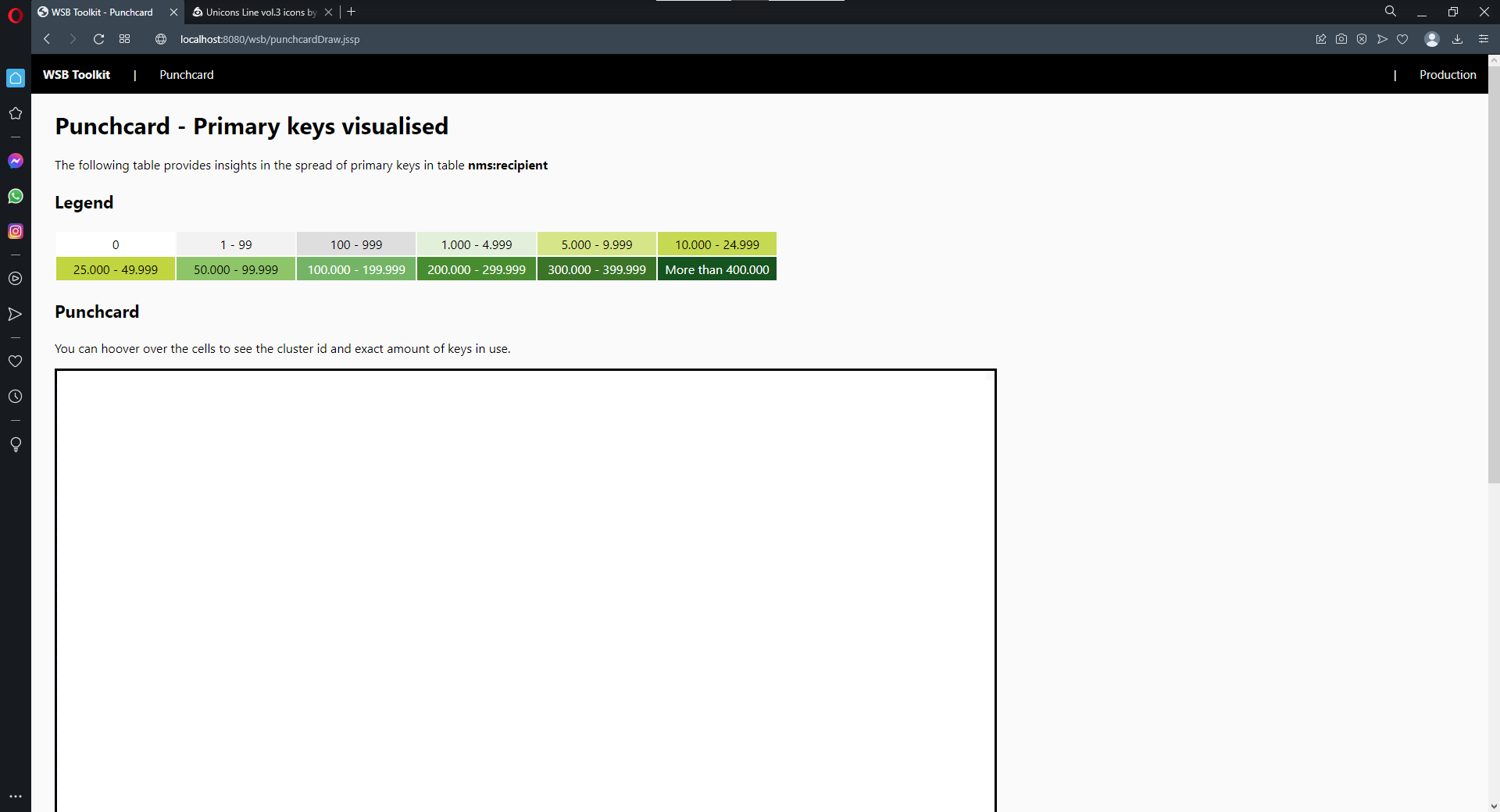
The punchcard collects data about the primary keys in use in the selected data schema. It'll determine how many keys are in use in each cluster. In total 10.000 clusters are defined, giving you a highly detailed look on the key consumption in each cluster. The number of keys per cluster is calculated during the night, this every Monday, Wednesday and Friday. When consulting the page, not actions will be performed on the table in question as all info has been pre-fetched during the night. So you can consult the page as much as you want.

Technical description

When you install the punchcard package, the following objects will be created.

Data schemas

wsb:punchcard
This table stores an overview of each dataschema for which you want the punchcard to made available. It also stores information about the punchcard was last calculated for this specific dataschema. It also stores in which data  table the punchcard data is stored (see next schema).

wsb:punchcardData
This table can store cluster information for up to 9 different data schema's. Once all columns are in use, an extra table will automatically be created with an index, using the original table as template. A total of 10.000 records will be present in each table, as that's the amount of clusters that exist.

Input forms

wsb:punchcard
An input form was created for the punchcard table, as this allows you to easily add new data schemas.

Navigation hierarchy

wsb:punchcard
The navigation hierachy created for this feature, allows you to add the view in your navigation hierachy. The package will install a folder view by default.

JavaScript

wsb:punchcard.js
This JavaScript library contains all JavaScript code that's used by the punchcard. The code contains functions to duplicate the punchcarddata data schema, the calculation of the clusters and many more.

Workflow

wsbPunchcard
This workflow runs 3 times a week and will call the function in the JavaScript library that's in charge of updating the punchcardData and performing all other operations.

Dynamic JavaScript Page

wsb:punchcard
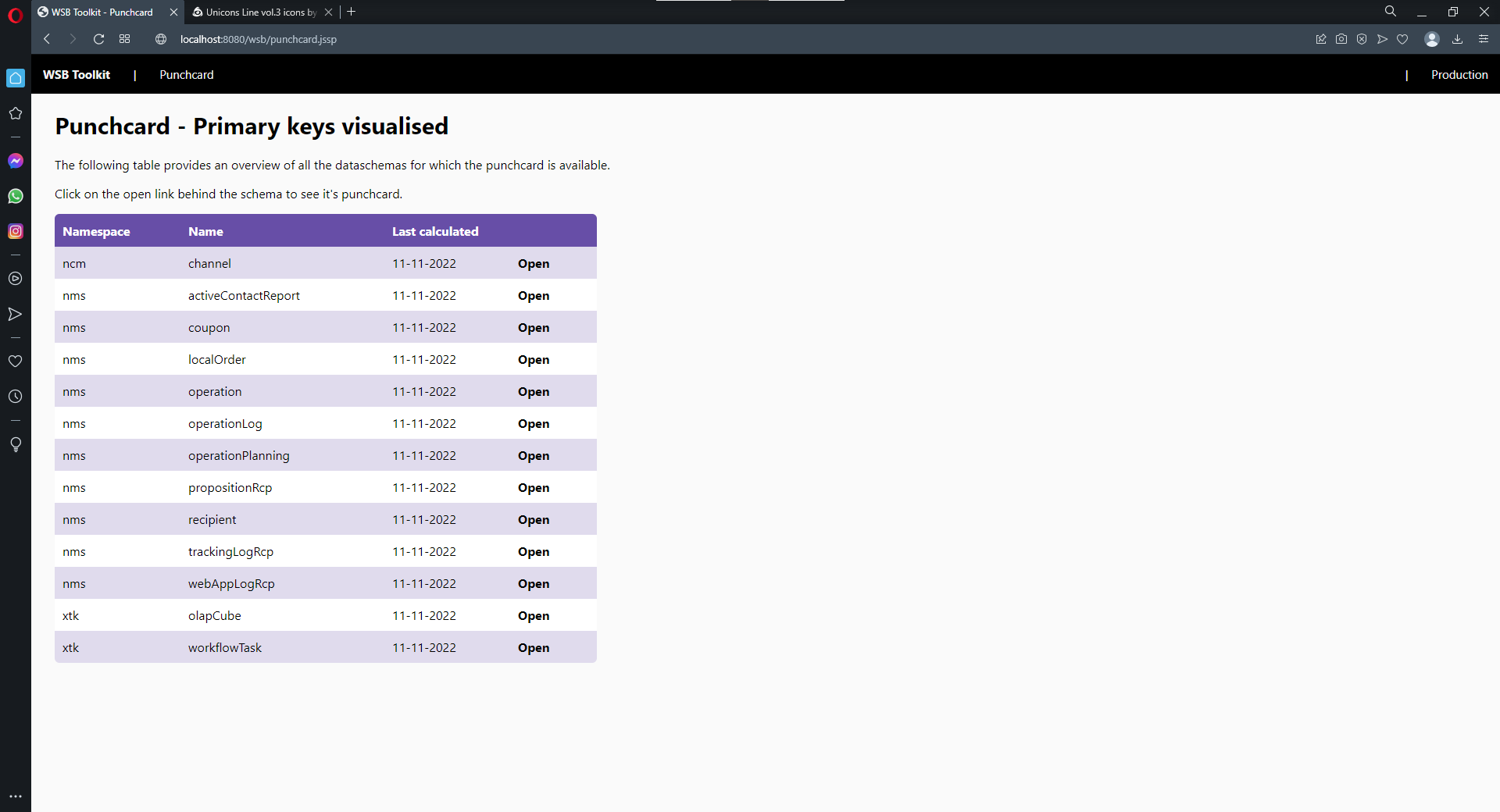
This page gives you an overview of all tables for which the punchcard is available. You can click on a table to consult the punchcard.

wsb:punchcardData
This second page is the actualy punchcard.

Installation and usage

You can simply download the package using the link above and install it on your instance. Be however informed that this feature requires the springboard to be installed. I recommend you to re-install the springboard whenever you install a new feature that relies on it, this to make sure you have the latest version of the springboard and it's global supportive libraries (like CSS).

Once you've installed both packages, make sure to run the database update wizard - despite it should have been executed upon package installation. Next, sign off and back on. Navigate to your "Resources" folder and look for the "WSB Punchcard" folder. Click on it. On the right you'll see a list - empty by default - and an add button. In the form, select a schema and save it. Now refresh the page, you'll see a data table was assigned.

Once you have at least one schema, check the "WSB Toolkit" workflow folder under Administration > Technical workflows. Look for the punchcard workflow and start it. You can trigger it as well, as it's the first time. Wait until it finishes.

Now go to the JSSP page in your browser. The url of your server you'll need to construct yourself, but as a reference, use this one: https://localhost:8080/wsb/punchcard.jssp
You might need to play around with http(s) and the port.

Once done, click on the "Open" link in the row of your schema and see the magic happen.

The source code of this feature is available on Azure DevOps

Find out more

Usage

You can use it all for free, but you need to be aware of the following 

You are allowed.
  • to install the packages or implement the ideas on your own instance
  • to use and modify the features on your own instance
  • to promote this website to your clients
You are not allowed.
  • to redistribute the packages or ideas
  • to embed the concepts or packages in the software as native or add-on packages
  • to earn money based on these features
You agree.
  • that you are installing the packages / implementing the features at your own risk
  • that any damage to your instance is for your own account
You are aware.
  • that we use the "wsb" namespace for our features
  • that there's no active support, but feel free to drop a mail