Springboard

A simple overview for our features

Case description

After designing multiple features for Adobe Campaign Classic, I realised that there's no real way to make all JSSP pages easily accessible. You need to know the urls to be able to access the features, which can become a lot of urls to remember. You can start adding all of them to the favorites section of your browser, but it won't allow you to discover new features. So I designed a feature to fix this: the springboard.

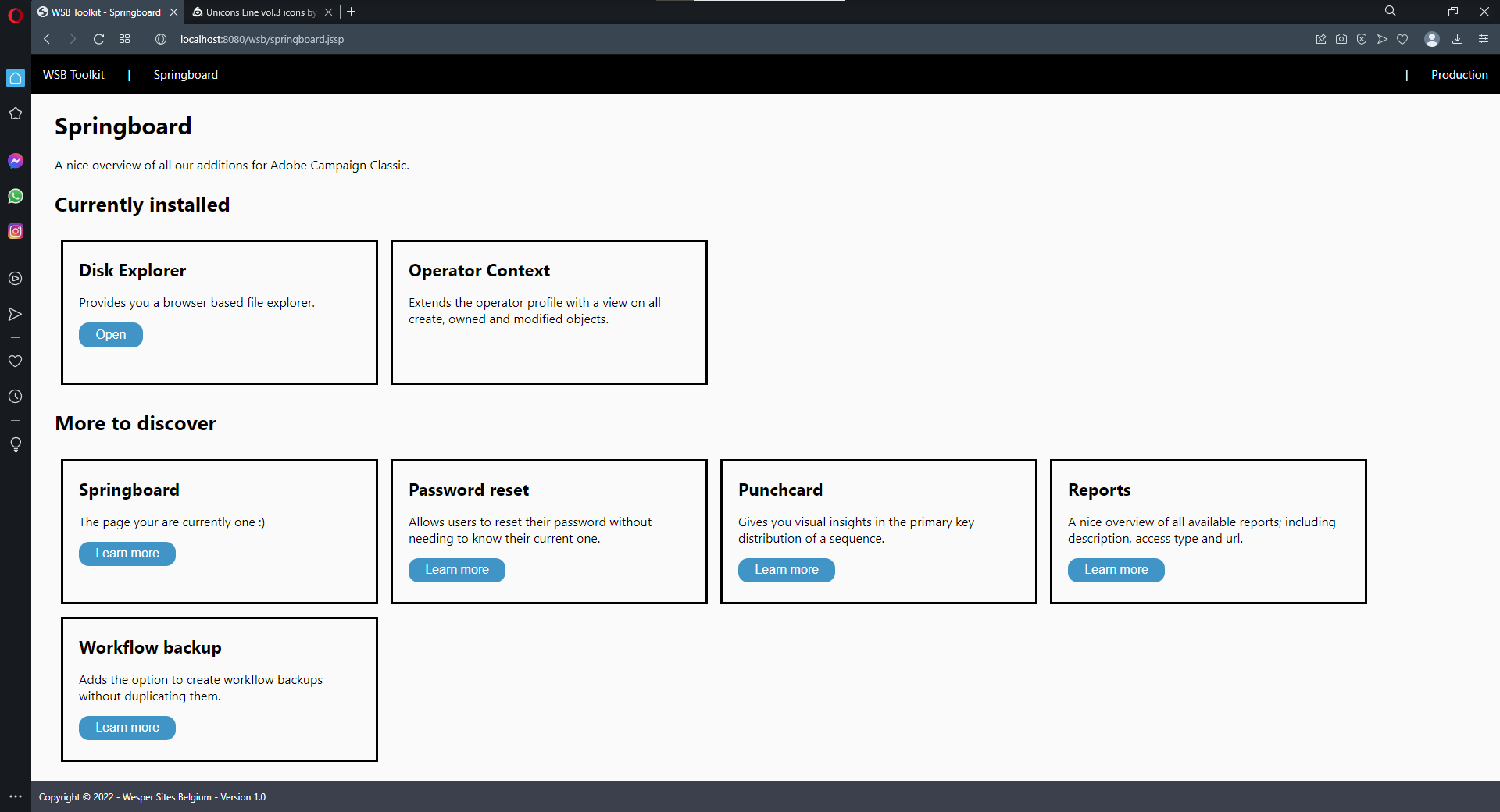
The springboard is a page where I list all features I've designed so far and which can be installed through packages. When a specific feature is installed, it'll be listed under the installed section. In case it's not, it'll be in a seperate section with a link to this website so that you can easily grab the package. If it is installed, the click will bring you to the feature.

Together with the design of the springboard I also realised that I started reusing the CSS between pages. So I wondered if it wouldn't be better to server this CSS from one central file. So I removed a lot of CSS from the individual pages and linked to a central CSS file instead. This file is also used by the springboard, but is not part of the package. You'll notice many features rely on the WSB Acato Core package. This package contains the CSS and some other reused options and code.

Let's have a look

he springboard is a dynamic server page, but in reality it's so much more.

How it works?

Functional description

The springboard shows you all features I've designed with links to them.

Technical description

When you install the springboard package, the following objects will be created.

Dynamic JavaScript Pages

wsb:springboard
The actual springboard with all the links.

Installation and usage

You can simply download the package using the link above and install it on your instance.

Once you've installed the package, navigate to the options (from the core package) and set the desired values if you haven't done so.

Now go to the JSSP page in your browser. The url of your server you'll need to construct yourself, but as a reference, use this one: https://localhost:8080/wsb/springboard.jssp
You might need to play around with http(s) and the port.

The source code of this feature is available on Azure DevOps

Find out more

Usage

You can use it all for free, but you need to be aware of the following 

You are allowed.
  • to install the packages or implement the ideas on your own instance
  • to use and modify the features on your own instance
  • to promote this website to your clients
You are not allowed.
  • to redistribute the packages or ideas
  • to embed the concepts or packages in the software as native or add-on packages
  • to earn money based on these features
You agree.
  • that you are installing the packages / implementing the features at your own risk
  • that any damage to your instance is for your own account
You are aware.
  • that we use the "wsb" namespace for our features
  • that there's no active support, but feel free to drop a mail